Google Calendar.
At home on macOS.
The calendar you know, with the native experience you love.
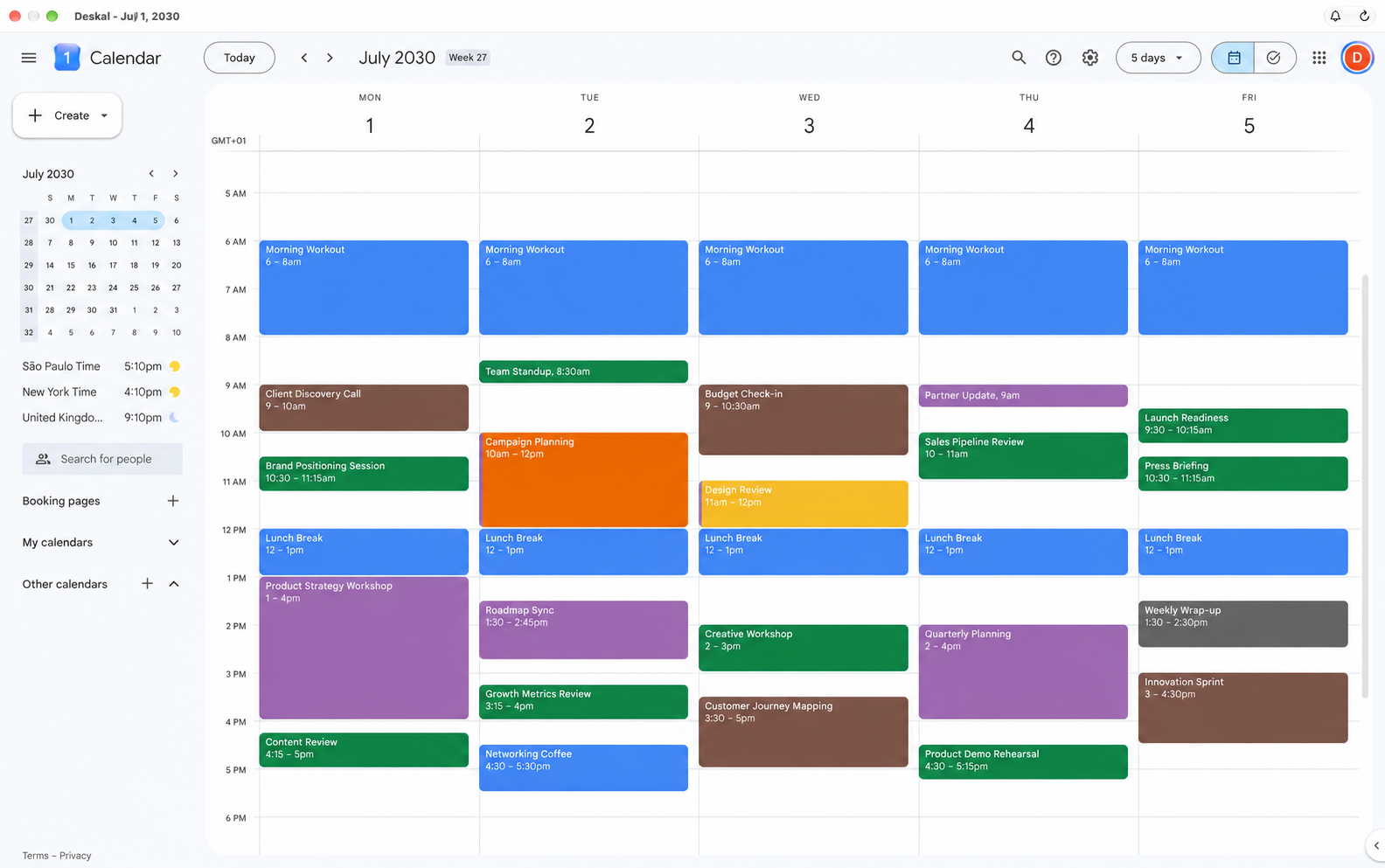
Meet Deskal.
Google Calendar, at home on your Mac.
Deskal keeps the Google Calendar experience you already know and surrounds it with the Mac features it has been missing: a dedicated workspace, menu bar access, native notifications and background sync.
No migration. No new system to learn. Just your calendar and tasks, easier to reach and better integrated into your day.
Webview or FullSync. Your choice. Use Google’s web interface on its own, or authorize FullSync for native agenda data, Dock counts and notifications. FullSync includes background activity that can continue after you quit Deskal.
Your agenda content stays on your Mac and is exchanged directly with Google. Read the privacy policy
You already know
your way around.
Your calendars, your colors, your way of organizing. Deskal keeps the original Google interface for a frictionless experience, so you can get straight to what matters.
MINICALENDAR
Your day,
just a click away.
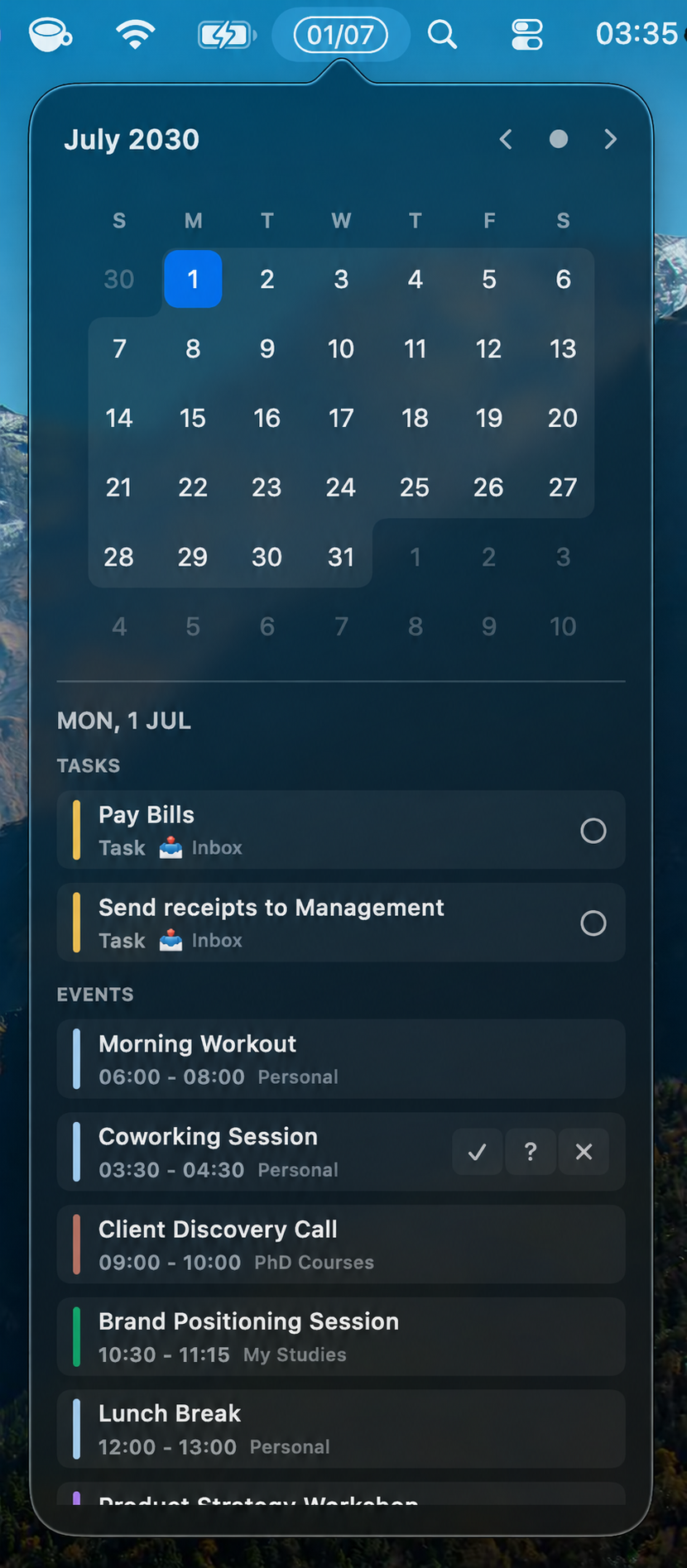
Your daily control center, right in the menu bar. See what’s next and take care of the little things without opening the main window.
Respond to invitations.
RSVP and get on with your day.
Complete your tasks.
One less to-do, in a single click.
See your day at a glance.
Events and tasks together, with FullSync.
NATIVE IN THE DETAILS
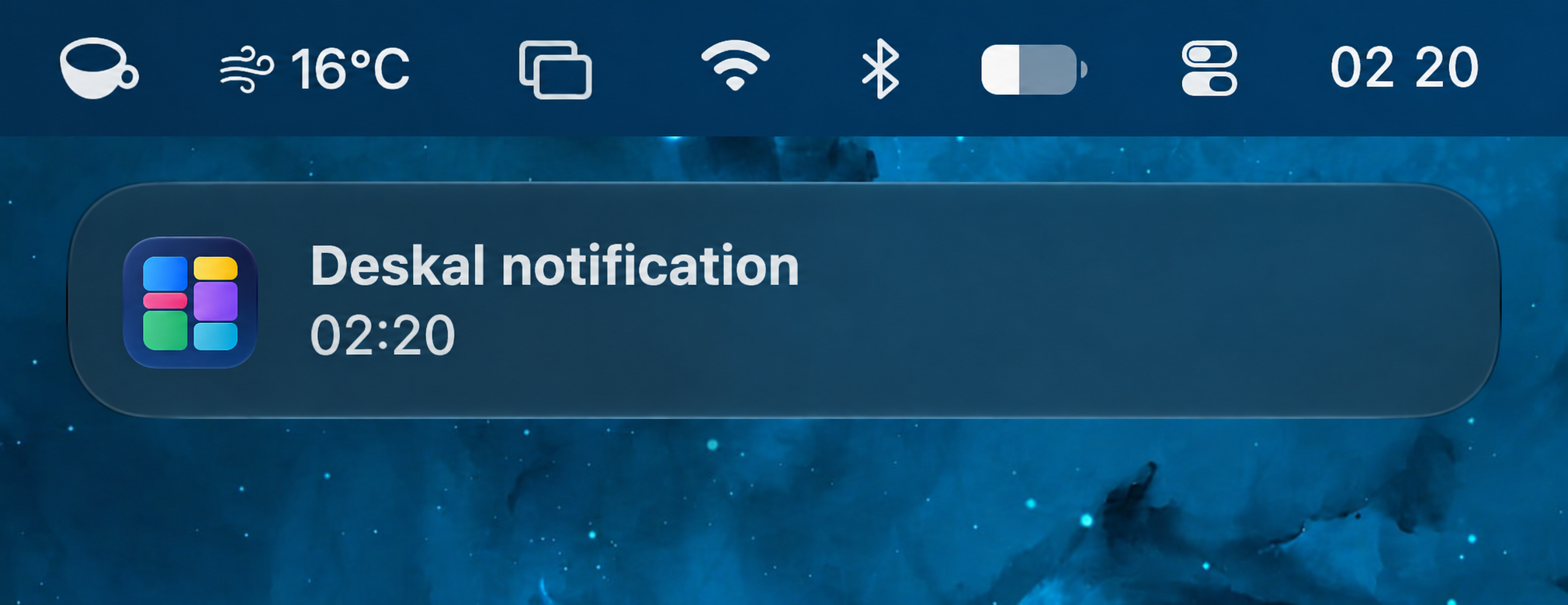
Your next commitment.
The notification, right where it belongs.
Google Calendar and macOS Notification Center,
working together to keep up with your day.
ON YOUR TERMS
A notification at the right time.
Just the way you like it.
Fine-tune notifications for events and tasks. Choose when to get a heads-up and when you’d rather have some quiet.
The details that make a difference ↘Follow your Google Calendar notifications
Choose how early to receive a notification
Pick a time for your notification
Pause notifications whenever you need to
GOOD TO KNOW
A few questions.
Simple answers.
Do I need a Google account?+
Yes. Deskal uses your Google account to access Calendar and Tasks. Native agenda and sync features request additional authorization.
Which Macs can use it?+
Deskal is designed for macOS 13 Ventura and later, on Apple silicon and Intel Macs. Accessing Google services and syncing changes requires an internet connection.
Do notifications keep working after I quit?+
Yes, when you activate FullSync and allow notifications. Background Sync can continue after you quit the main app. The mini calendar and opening at login have separate controls. Switch to Webview in Settings → Sync to stop native synchronization. macOS may also require approval for background activity.
When can I download it?+
Deskal is being prepared for release. Availability and pricing will be shared here once confirmed.
PRICING
Coming soon.
Deskal is being prepared for release. Pricing will be announced at launch.
A SPACE FOR YOUR DAY.
A little closer.
To everything you have planned.
Coming soon for MacmacOS 13 or later · Apple silicon & Intel
Back to top